Introducing FileFlow: Streamlining Your Digital Workflow
In a digital world overflowing with files, documents, and data, staying organized is more challenging than ever. Welcome to the official launch of FileFlow, a powerful Ulauncher extension designed to bring order to the chaos and streamline your digital workflow by leveraging the speed of indexed search.
What is FileFlow?
FileFlow is a smart, intuitive file search extension for Ulauncher that uses plocate/locate to find files almost instantly. It’s built for speed and efficiency, and it’s packed with features to help you find what you’re looking for, wherever it is.
Core Features
FileFlow is more than just a simple file search. Here are some of the features that make it an indispensable tool for any power user:
Blazing-Fast Indexed Search
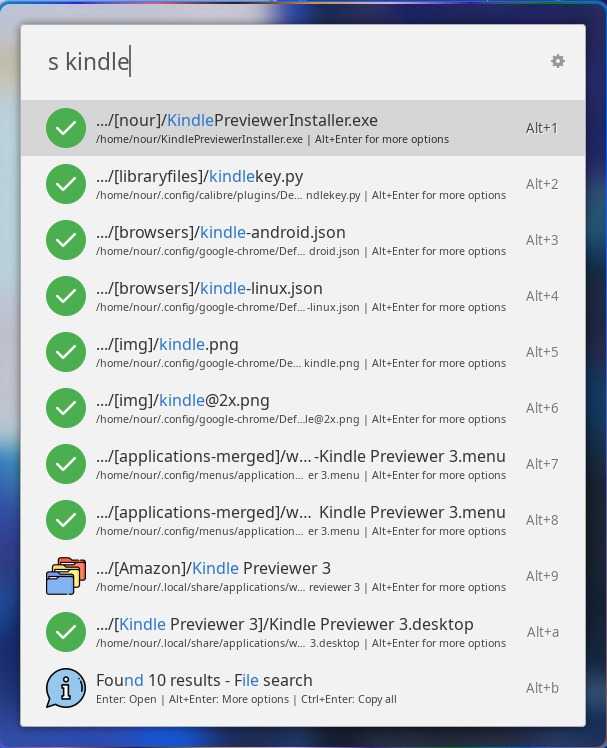
At its core, FileFlow uses your system’s file index to deliver search results in a fraction of a second. Just type s followed by your search term, and watch the results appear instantly.
Directory-Only Search
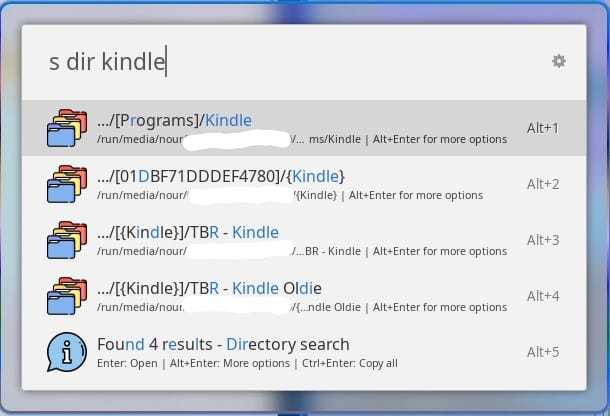
Need to find a folder? No problem. Use the dir keyword to filter your search and show only directories. This is perfect for quickly navigating your filesystem.
Hardware Drive Scanning
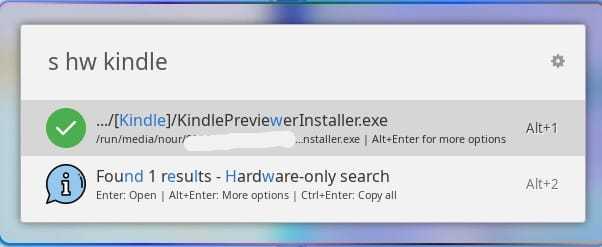
One of FileFlow’s standout features is its ability to search mounted hardware drives. By using the hw keyword, you can extend your search to include external hard drives, USB sticks, and other removable media.
Advanced Hardware and Directory Search
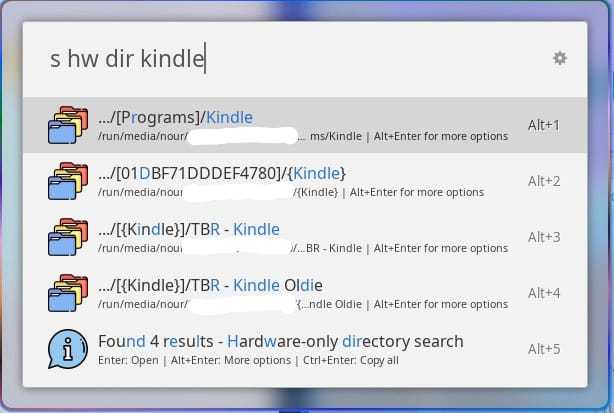
Combine the hw and dir keywords to perform a highly specific search for directories located only on your mounted hardware. It’s the ultimate tool for finding that one specific folder on that one specific drive.
More Than Just Searching
FileFlow also includes a number of other features to improve your workflow:
- “Open With…” Menu: Don’t want to use the default application? Press
Alt+Enteron a result to bring up a menu of applications to open the file with. - Open Folder Location: Quickly jump to the folder containing a file from the
Alt+Entermenu. - Copy All Paths: Need a list of all the files you found? A quick
Ctrl+Enterwill copy all the result paths to your clipboard.
Get Started with FileFlow
Ready to take control of your digital life? Installing FileFlow is as simple as adding it to your Ulauncher extensions.
Where to Get It
You can download Ulauncher from its official website. Once you have Ulauncher installed, you can add the FileFlow extension from its official page on the Ulauncher extensions website or directly from the GitHub repository.
Thank you for reading!